
How to Start an Etsy Shop: The Complete Step-by-Step Guide for Beginners (2026)
Key Takeaways
- Etsy is ideal for creative sellers seeking flexibility, but success requires treating it as a real business (planning, consistent optimization, and customer service focus) — it's not a shortcut to instant income.
- The 8-step setup process (account creation → shop preferences → naming → identity/finance verification → listing creation → shipping/payment setup → brand storytelling → launch) ensures a professional foundation for long-term success.
- Critical pre-launch steps include niche validation, high-quality listing assets, and accurate pricing. Account for product costs, shipping, and Etsy fees, including listing, transaction, payment processing, and applicable advertising fees.
- Inkedjoy integration streamlines Etsy POD selling with seamless design/upload/sync tools, reducing manual work and accelerating launch.
- Avoid beginner mistakes: skipping SEO research, underpricing, too few listings, and over-reliance on Etsy Ads — focus on organic optimization and gradual scaling.
Table of Contents
Ever thought about turning your creativity into income from the comfort of your home? With millions of buyers browsing Etsy every day and over 8 million active sellers competing in 2026, the opportunity is huge on the online platform. More people than ever are exploring handmade, vintage, and print-on-demand businesses as flexible income streams.
This guide breaks down how to set up, optimize, and launch your Etsy store step by step in 2026. You'll learn what to prepare before opening, how to stand out in a crowded marketplace, and how to position your shop for long-term success.
Is Starting an Etsy Shop Right for You?
Before you invest time and money, you need to decide whether Etsy aligns with your goals. Etsy is ideal if you value creativity, flexibility, and direct access to buyers who appreciate unique products. However, it is not a shortcut to instant income. You must be willing to learn product research, pricing strategy, and customer service fundamentals.
You should also consider your long-term vision. Are you building a side hustle, a part-time income stream, or a scalable brand? Etsy works well for testing product ideas because the barrier to entry is low. At the same time, competition is strong, so effort and consistency matter.
You can make your Etsy shop a success if you treat it like a real business. That means planning, tracking expenses, improving listings, and refining your offers. If you approach it strategically, the platform can become a powerful launchpad.
What You Can Sell on Etsy
Etsy focuses on unique and creative products. Knowing what you can sell helps you avoid policy issues and wasted effort. Sellers can offer items they make, design, handpick, or source, as long as they meet Etsy's Creativity Standards. Common examples include:
- Handmade items (made-to-order products, personalized goods, artistic creations)
- Vintage items (at least 20 years old)
- Craft supplies and digital products (templates, patterns, design assets)
- Print-on-demand products based on your own designs
Handmade items are popular because buyers value originality. For example, handmade jewelry and personalized home decor can appeal to shoppers looking for something unique.
Print-on-demand products, such as custom t-shirts, are another option for sellers who want to create physical products without holding inventory. You can work with a production partner to fulfill orders using your own designs.
Meanwhile, digital downloads such as planners or social media templates offer low overhead and can be delivered instantly after purchase.
Vintage products appeal to collectors and niche buyers. If you source authentic items that are over 20 years old, you can build a specialized audience. Always review Etsy's policies to ensure compliance before listing products.
Pros and Cons of Selling on Etsy
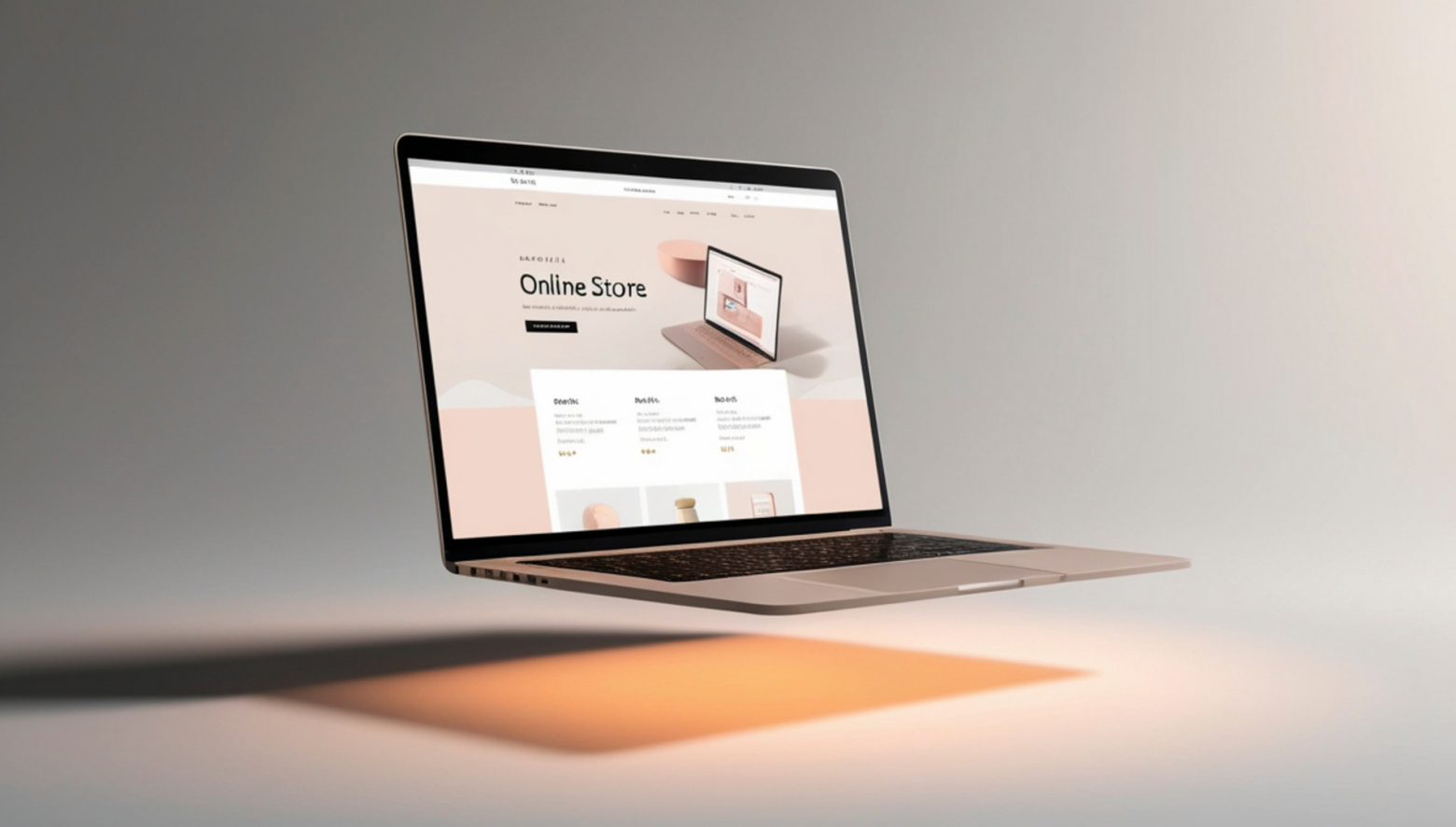
Like any platform, Etsy has clear advantages and limitations. Understanding both helps you set realistic expectations.
Pros:
- Built-in traffic from millions of buyers
- Low barriers to entry
- Supportive seller community
- Integrated marketing and analytics tools
Cons:
- High competition in popular niches
- Platform fees (6.5% transaction fee plus payment processing fees)
- Limited control over branding and customer data
The biggest advantage is access to ready-made traffic. You do not need to build a website from scratch to start selling. However, competition means you must optimize listings carefully. You should weigh these factors before committing to Etsy.
How to Start Your Etsy Shop: Step-by-Step Setup
Starting an Etsy shop may feel overwhelming at first, but when broken into clear steps, the process becomes straightforward. Etsy is a marketplace designed for creativity, handmade goods, vintage items, and digital products. With millions of buyers browsing daily, launching your shop can turn your ideas into a profitable business.
This step-by-step guide walks you through every critical step, from creating your account to verifying your identity and setting up finances. Whether you're planning to sell print-on-demand products, handmade crafts, or digital downloads, these steps cover everything beginners need.
Step 1 – Create Your Etsy Account
The first step is simple: sign up for an Etsy account. You can register using your email or log in via Facebook, Google, or Apple for convenience. Using a pre-existing account can speed up the process if you already have verified information.
After entering your details, Etsy will send a confirmation email. Click the verification link to activate your account. Without confirming, you won't be able to open a shop or access seller tools. This step ensures your account is secure and linked to a valid email address.
Once confirmed, explore your Etsy dashboard. Even at this early stage, you can customize your profile picture, add a short bio, and familiarize yourself with Etsy's seller interface. These small preparations make the later setup smoother and help you feel confident moving forward.

Step 2 – Set Your Shop Preferences
Next, set your shop preferences carefully, because some choices cannot be changed later. Start with shop language, which determines how your listings are displayed and searchable. Choose your primary language wisely; Etsy does not allow changes after your shop opens, so pick the one most of your customers will use.
Then select your country and currency. Matching your bank account's currency avoids unnecessary 2.5% conversion fees. This is especially important if you plan to sell internationally, as fees can eat into your profit margin over time.
Make sure your shop location is accurate. The wrong location can affect shipping costs and delivery information. For print-on-demand sellers, use your own shop location rather than your production partner's address.
Step 3 – Choose Your Shop Name
Your shop name is one of the most important branding decisions you'll make. Etsy requires names to be 20 characters or fewer, with no spaces or punctuation, and the name must be unique across the platform.
To create a memorable name, focus on flexibility and clarity. For example, if you sell mugs, avoid "CoffeeMugsOnly" if you plan to expand into other home goods. Instead, consider "CozyNestDesigns" or "ArtfulHaven," which gives room for growth.
Before finalizing, check domain availability and social media handles. Even if you start on Etsy alone, securing the same name on Instagram, TikTok, and Pinterest ensures consistent branding later.
Remember, you can change your shop name before opening your shop, and you are allowed one instant change after opening. This flexibility allows you to adjust branding based on initial feedback or market research.
Step 4 – Verify Identity and Set Up Finances
Not sure whether to register as an individual or a business? Here's the basic difference:
| Factor | Individual | Incorporated Business |
| Business status | Sell as an individual or sole proprietor | Sell through a registered business entity |
| Setup | Generally simpler | Requires business registration and verification documents |
| Information required | Personal and tax information | Personal information plus business details |
| Best for | Beginners, side hustles, and small shops | Established businesses and incorporated brands |
| Taxes | Reported as personal income | Filed under business taxes |
*Note: Tax treatment varies by country, region, and business structure.*
Etsy requires sellers to verify their identity for security and payment processing. Prepare a valid photo ID, such as a passport or driver's license, along with your bank account and credit card details. These documents help Etsy confirm your legitimacy and protect both buyers and sellers from fraud.
Enable two-factor authentication to further secure your account. This step adds an extra layer of protection by requiring a verification code in addition to your password, which is critical for avoiding unauthorized access.
Next, set up Etsy Payments, which allows you to accept major payment methods such as credit and debit cards, PayPal, Apple Pay, Google Pay, and Klarna. Etsy will show you the payment methods available for your shop during setup, depending on your location. Offering multiple payment options makes checkout more convenient for buyers and can help create a smoother shopping experience.
Finally, pay the one-time shop setup fee, which typically ranges from $15–$29 depending on your location. This non-refundable fee is required to complete your shop setup and open your store. Once paid, you can focus entirely on creating products, marketing, and attracting your first buyers.

Step 5 – Create Your First Listing
Your first listing is the heart of your Etsy shop; it's what introduces buyers to your products. Start by selecting the right category and attributes. Categories help Etsy place your product in the correct search results, while attributes such as color, size, material, and occasion make your listing easier to filter. For example, if you sell a handmade ceramic mug, attributes might include "ceramic," "12 oz," "microwave safe," and "gift for coffee lovers."
Next, upload high-quality photos and videos. Etsy allows up to 10 images and one video per listing. Include close-ups, different angles, lifestyle shots, and, when useful, a size reference such as a ruler or familiar object. A short video demonstrating your item, such as pouring liquid into a mug or displaying texture, can increase buyer confidence. Use natural lighting and clean backgrounds to ensure your product stands out.
Writing compelling descriptions with keywords is critical for search visibility and conversion. Describe your product clearly, highlight benefits, and include specific keywords buyers are searching for. For example: "Handmade ceramic coffee mug, 12 oz, microwave safe, perfect gift for coffee lovers." Keep sentences concise, and break up text with bullet points for readability.
Set inventory quantities and variations next. Etsy allows multiple variations such as size, color, or material. For example, a t-shirt listing could include S, M, L, and XL sizes in three color options. Accurately tracking inventory prevents overselling and informs Etsy's algorithm about product availability.
Additionally, you must configure your shipping profile. Assign domestic and international shipping options, estimate processing times, and select packaging preferences. Etsy also allows you to use all 13 tags per listing for SEO purposes. Think like a buyer: include phrases like "gift for mom," "boho home decor," or "personalized notebook" to improve discoverability.
Step 6 – Configure Shipping and Payment
Shipping configuration affects both buyer experience and operational efficiency. Etsy lets you create shipping profiles tailored to different product types. For example, lightweight items like stickers can have a low-cost shipping profile, while fragile ceramics may require calculated shipping or insurance.
Decide between calculated shipping vs. fixed pricing. Calculated shipping uses package weight and destination to estimate cost automatically, which is convenient for variable-sized orders. Fixed pricing can simplify things for standard items, but requires careful cost calculation to avoid losses.
Set processing times and ship-by dates accurately. Buyers expect transparency—stating "3–5 business days processing, ships within 7 days" helps manage expectations and reduces disputes. Longer or custom production times should be communicated clearly.
Next, complete payment account verification. Etsy may deposit a small test amount into your bank account to confirm ownership. Once verified, you can receive payments from multiple channels, including credit/debit cards, PayPal, Apple Pay, Google Pay, and Klarna. Proper setup ensures a smooth checkout experience and builds buyer trust.

Step 7 – Tell Your Brand Story
Your shop story differentiates you from thousands of competitors. Start by completing the "About" section. Share your journey, inspiration, and what makes your products unique. For example, if you craft eco-friendly home decor, explain your sustainable sourcing process or your passion for minimalist design. Authentic storytelling builds a connection with buyers.
Next, design a shop banner and logo. These visuals reinforce your brand identity and create a professional first impression. Keep designs consistent in style, color palette, and typography. Even a simple, clean logo with a banner showing your products in context can improve perceived trustworthiness.
Add shop policies covering returns, cancellations, and custom orders. Clear policies reduce disputes and provide transparency. For example, specify "Returns accepted within 14 days of delivery; buyer pays shipping" or "Custom orders cannot be canceled once production begins."
Also, you must set up an FAQ section. Anticipate common buyer questions regarding shipping, product care, or customization. Bullet points work well for readability:
- How long does shipping take?
- Can I request a custom color or design?
- How should I care for my product?
The FAQs section reduces repetitive inquiries and enhances buyer confidence.
Step 8 – Open Your Shop
After completing listings, shipping, payment, and branding, it's time for the final review. Aim to launch with multiple listings rather than just one or two. This gives shoppers more options and gives your shop more opportunities to appear in Etsy search results. Double-check product photos, descriptions, pricing, and inventory. Ensure your shop policies and FAQ are complete, and confirm your shipping profiles match product types.
Once satisfied, click "Open Shop." Etsy will display your shop URL as:
etsy.com/shop/[yourshopname]
Share this link on social media, email newsletters, and with friends and family to generate initial traffic. Early promotion is key to getting your first sales, reviews, and visibility in Etsy search results.
Opening your shop is a milestone, but the work doesn't stop there. Monitor performance, respond promptly to buyer messages, and continue optimizing listings with new photos, descriptions, and keywords. Over time, consistency and strategic updates help your shop grow.
By carefully following each step, including listing creation, shipping configuration, payment setup, brand storytelling, and final launch, you can ensure your shop starts on a professional, buyer-friendly foundation. When combined with ongoing SEO, marketing, and quality products, these steps set you up for long-term success on Etsy.
Pre-Launch Preparation: Setting Yourself Up for Success
Preparation determines whether your shop struggles or gains traction. Before opening your store, you should clarify your niche, pricing structure, and branding direction. Jumping in without research often leads to frustration.
Start by studying successful competitors. Analyze their pricing, product photos, and keyword usage. Then identify opportunities where demand exists, but competition is moderate. This strategic positioning gives you a stronger start.
Most importantly, validate your idea before investing heavily. Test product concepts with small batches or digital mockups. When you prepare properly, your launch becomes smoother and more profitable.
Choose Your Profitable Niche
Choosing a niche is not about following trends blindly. It is about balancing demand, competition, and profitability. For example, while "custom mugs" may be popular, they are also saturated. Instead, narrowing down to "minimalist teacher appreciation mugs" may give you an edge.
Use market research tools and Etsy's search bar suggestions to identify trending products. Look at top-selling shops and read customer reviews. Reviews often reveal gaps you can fill with better features or designs.
Most importantly, validate demand before scaling. Create a few listings and monitor views, favorites, and engagement. If interest builds, expand gradually. This reduces risk and protects your investment.
Prepare Your First Product Listing Assets
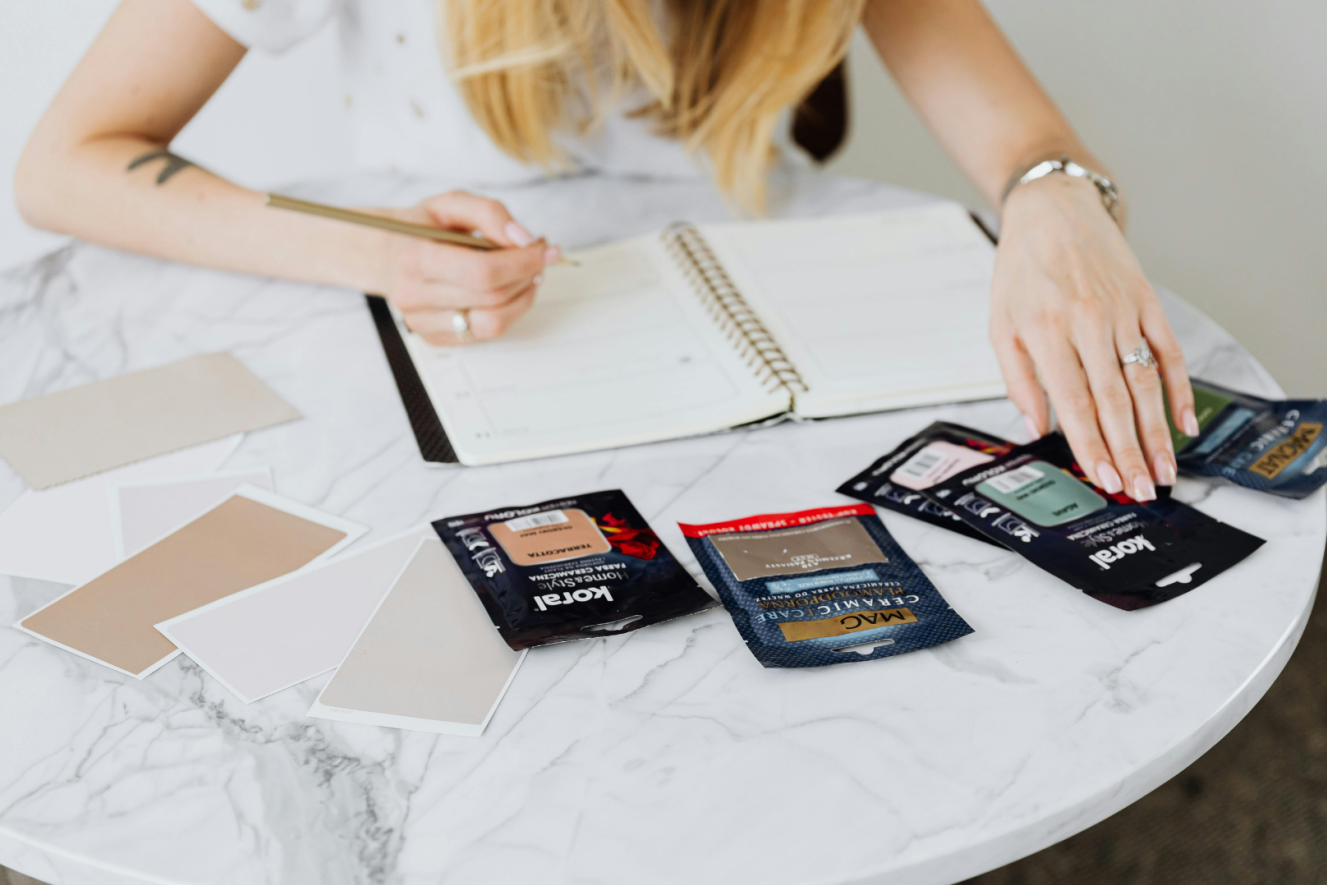
Your product listing is your digital storefront. Etsy allows up to 10 high-quality images and one video per listing, and you should use all of them. Buyers cannot touch your product, so visuals must build trust and reduce hesitation.
You do not need expensive equipment to get started. A simple DIY setup with natural window lighting, a clean background, and thoughtful styling works well. Photograph your product from multiple angles, show close-ups of details, and include lifestyle shots that help your target customer imagine using it.
Next comes SEO optimization. Write clear, descriptive titles that match buyer search intent. Instead of vague phrases, include specific keywords, materials, and use cases. Research keywords using Etsy's autocomplete suggestions and analyze top listings in your niche. Strong keyword placement in titles, tags, and descriptions improves discoverability in Etsy search results.
Calculate Your Pricing Strategy
Pricing should never be guesswork. Begin with a full cost breakdown that includes materials, labor, packaging, platform fees, and shipping. Consider using a separate bank account for your Etsy income and business expenses. Keeping your finances separate makes it easier to track your costs, manage cash flow, and prepare for tax reporting. If you ignore any of these components, your profit margin will shrink quickly.
Study competitor pricing to understand market expectations. Do not automatically choose the lowest price. Instead, position your product based on value, quality, and branding. For example, premium packaging and strong branding can justify slightly higher pricing.
You must also understand Etsy's fee structure before setting your prices. Etsy charges a $0.20 listing fee, while a 6.5% transaction fee applies when you make a sale. Payment processing fees vary by the location of your bank account, and additional costs may apply for services such as Offsite Ads or currency conversion. Check Etsy's current fees for your location and include them in your pricing calculations to protect your profit margin.
How to Start an Etsy Shop with Inkedjoy
Starting your Etsy shop with Inkedjoy simplifies the entire process, whether you're a first-time seller or scaling an existing business.

The first step is to create your Etsy seller account. Choose a memorable shop name, fill in your personal details, and set up payment preferences. A complete profile builds trust with buyers from the start.
Next, connect Inkedjoy to your Etsy store. This integration allows you to design, manage, and upload products directly from Inkedjoy without juggling multiple platforms. You can sync inventory, track orders, and automate updates seamlessly, saving hours of manual work.
Once connected, you can design and publish your products. Use Inkedjoy's intuitive design tools to create print-on-demand items like t-shirts, mugs, or phone cases. Upload your designs, set pricing, and prepare your listings with high-quality images and SEO-optimized titles.
Finally, launch and promote your shop. Share your products on social media, use Etsy's built-in marketing tools, and encourage early reviews to gain traction. Consistent promotion helps your shop get noticed and builds momentum in the first crucial weeks.
Common Beginner Mistakes to Avoid
Many new Etsy sellers struggle due to avoidable mistakes. One of the most common is skipping SEO research. Without understanding what buyers are searching for, your listings may never appear in search results, limiting visibility and sales.
Another frequent error is underpricing products. Selling too low may attract buyers initially, but can hurt profitability and undervalue your work. Factor in material costs, labor, Etsy fees, and shipping before setting prices.
Launching with too few listings is also risky. A shop with only one or two products appears incomplete, which can discourage potential buyers. Similarly, relying solely on Etsy Ads too early can drain your budget without guaranteed results. Focus on strong organic listings, consistent promotion, and gradual scaling to create a sustainable shop.
Conclusion
Starting an online store can feel overwhelming, but clarity beats confusion every time. When you understand the process and the platform, you can confidently move forward. Now you know exactly how to start an Etsy shop and position yourself in a competitive marketplace.
Success on Etsy comes down to preparation, smart branding, and consistency. Small decisions, such as niche selection and keyword research, create big long-term results. Focus on steady improvement instead of overnight wins.
Enjoy this etsy shop guide for beginner?
Make Inkedjoy a Preferred Source on GoogleFAQs
How much does it cost to start an Etsy shop?
Starting an Etsy shop is relatively affordable compared to most online businesses. Etsy charges a small listing fee per product, plus transaction and payment processing fees when you make a sale. You may also want to budget for product materials, packaging, branding, and optional marketing costs. If you're using print-on-demand or dropshipping, upfront inventory costs can be lower. Overall, many beginners start with a modest budget and scale as sales grow.
Do I need an LLC to sell on Etsy?
No, you do not need an LLC to start selling on Etsy. Many beginners launch their shop as sole proprietors. This keeps things simple while you test your products and validate demand. However, as your business grows, forming an LLC may offer legal and tax benefits. It's a good idea to consult a local accountant or legal advisor to determine what structure fits your situation.
How long does it take to get your first sale on Etsy?
There's no fixed timeline for your first sale. Some sellers get one within days, while others may wait weeks or even a few months. Your niche, pricing, product demand, SEO optimization, and marketing efforts all play a role. The more strategic you are with product research and keywords, the faster you're likely to see traction. Consistency and patience are key.
What happens if I don't get sales right away?
It's completely normal not to see immediate sales. Etsy is competitive, and new shops often need time to build visibility and trust. Instead of getting discouraged, review your listings, improve product photos, refine keywords, and analyze competitors. Treat the early stage as a learning phase. With adjustments and steady effort, momentum usually builds over time.
Written By Gina
Gina is an experienced SEO blog writer specializing in creating clear, engaging, and search-optimized content for the eCommerce and digital marketing space. She combines data-driven insights with user-focused storytelling to craft articles that rank well while delivering real value to readers.